
How to Reset Password on TMTCash





Step-by-step: TMTCash Reset Password
1. Go to the official site
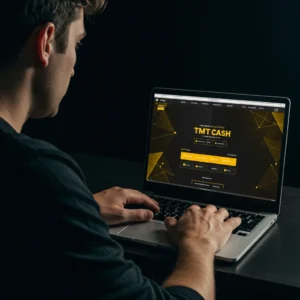
Open your browser and type https://tmt.cash. Check the lock icon in the address bar to confirm a secure connection.
2. Open the reset page
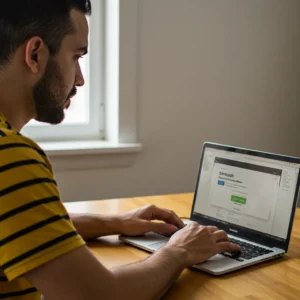
Tap Login, then choose Forgot Password? You will land on the TMTCash Reset Password screen.
3. Enter your registered info
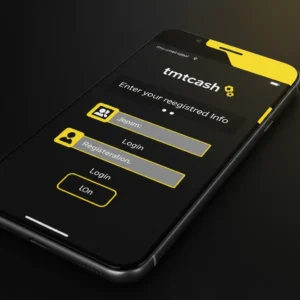
Type the email address or mobile number linked to your account. Double-check for typos before submitting.
4. Get your OTP

A one-time code arrives via SMS or email. Keep your Messages or Mail app open so you can copy it quickly.
5. Verify the code
Enter the OTP as soon as it arrives. Codes expire after a short time. If needed, tap Resend OTP.
6. Create a new password

Use at least 8 characters and mix letters, numbers, and symbols. Avoid birthdays, names, or easy words.
7. Log in again
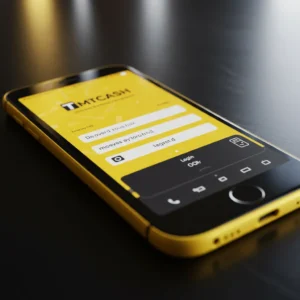
Return to the Login screen and sign in with your new password. You are done.
Tip: Add TMTCash to your browser bookmarks so you always use the official site.
Mobile-friendly reset (no app required)
You can complete TMTCash Reset Password on any phone:
- Open Chrome on Android or Safari on iPhone.
- Visit tmt.cash → Login → Forgot Password?
- Enter your registered email or number, verify the OTP, set a new password.
Optional shortcuts for faster access next time:
- Android: Chrome menu → Add to Home screen
- iPhone: Safari Share → Add to Home Screen
Common issues and quick fixes
Did not receive the OTP
- Check signal or Wi-Fi.
- Confirm the email or number you entered is correct.
- Look in Spam or Junk for email OTPs.
- Wait 2 to 5 minutes, then tap Resend OTP.
- Try a different browser if nothing arrives.
OTP expired or invalid
- Request a fresh code on the TMTCash Reset Password screen.
- Type it exactly as shown, with no spaces.
- Enter the code right away so it does not expire.
Email or number not recognized
- Make sure it matches what is saved in your profile.
- If you lost access to both, open Live Chat for identity checks.
Forgot your username too
-
- Search SMS or email for your welcome message.
- Or ask support to help locate your account after verification.
Why password privacy matters
Your password protects your wallet, promotions, and personal details. Regular updates and unique credentials help you:
- Block unauthorized access
- Keep transactions safe
- Avoid withdrawal delays caused by security holds
- Maintain full control of your gaming experience
Strong password checklist
- Do not use names, birthdays, or common words
- Mix uppercase, lowercase, numbers, and symbols
- Avoid reusing passwords from other sites
- Change it every 3 to 6 months
- Store it in a trusted password manager
Lost access to your email or number?
You can still complete TMTCash Reset Password with help from an agent:
- Open Live Chat and choose Account Recovery.
- Prepare a valid ID. The agent may request it.
- Answer simple questions such as last login or last deposit.
- We will update your contact details and restore access.
These checks prevent fraud. They may take a bit longer, but we keep you updated.
Extra security reminders
- TMTCash will never ask for your password or OTP in chat or email.
- Use only https://tmt.cash and look for the lock icon.
- Avoid logging in on public Wi-Fi when possible.
- Always log out on shared devices.
- If a link looks suspicious, skip it. Go to the homepage and open Live Chat.
Responsible play reminder
Gaming should feel fun, not heavy. Inside your profile you can turn on:
- Deposit and loss limits
- Session reminders
- Cooling-off or self-exclusion
- Links to local support groups
Access is for adults 21 and above. Set limits before you start a session.
24/7 Taglish support
-
Need help using TMTCash Reset Password? Real people are online day and night:
- Live Chat on the site
- Telegram: @TMTCashSupport
For the fastest fix, include your username, registered email or number, and a screenshot of any error.
Ready to get back in?
Use TMTCash Reset Password to restore access in minutes, secure your profile, and return to the games you enjoy. Reset now, update your settings, and play with confidence on mobile or desktop.
Frequently Asked Questions
Can I reset my password anytime?
Yes. The TMT.Cash Reset Password flow is available 24/7.
Do I need to verify first?
No. If you can access your registered email or number, you can reset immediately. If both are lost, an agent will guide you through ID checks.
Can I reuse an old password?
It is safer to pick a new one to reduce risk.
Why is my OTP late?
Network traffic or filters can slow delivery. Wait a few minutes, check Spam or Junk, then press Resend OTP.
Can I reset on a new phone?
Yes. As long as you can access your registered contact, the TMT.Cash Reset Password page works on any device.
Are there reset limits?
There is no strict cap, but many failed attempts can trigger a temporary lock for safety.